
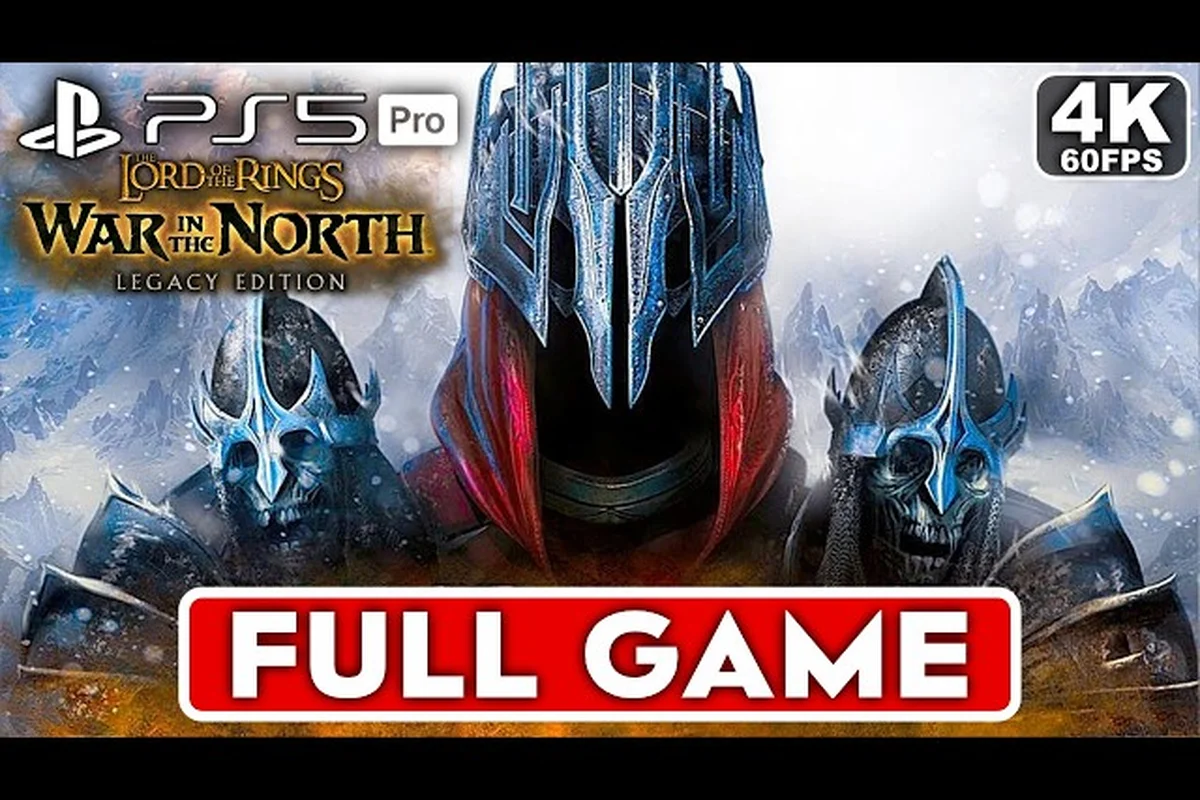
The Lord of the Rings: War in the North - Legacy Edition brings the 2011 action RPG back to modern platforms with a suite of quality-of-life upgrades, and this War in the North beginner guide exists to make your first hours in Middle-earth genuinely painless. The Legacy Edition introduces on-the-fly character hot-swapping, refined enemy locking, visible Health/Mana/EXP bars, and a dedicated consumables panel — improvements that change how you approach combat from the very first chapter. Whether you are jumping in fresh or returning after a decade away, understanding these new systems before you fight your first warg will save you from the frustration that plagued the original release.
The game launched on August 11, 2026 at $19.99 with a 10% launch discount through August 24, published by Aspyr Media and licensed by Warner Bros. Interactive Entertainment. According to the Steam Store Page, the game currently sits at a Very Positive rating with 97% of over 130 reviews recommending it. Community sentiment is split between praise for the restored multiplayer and QOL upgrades, while some players who owned the 2011 original object to paying again — reviewers clarify this is a rerelease with a patch and upscaled textures, not a new engine remake. For new players, though, this is the definitive way to experience the story of Eradan, Andriel, and Farin as they push back against Sauron's forces in the North.
War in the North Legacy Edition System Requirements and Setup
Before you even create your character, you need to confirm your rig can handle the journey north. The Legacy Edition's system requirements are modest by 2026 standards, but they still matter if you are planning to play on older hardware or a handheld device. According to the official Steam Store Page, the minimum specs require Windows 11, an Intel Core i5-6400 or AMD Ryzen 5 3600, 8 GB RAM, and a GTX 970 or Radeon R9 290X. The recommended configuration bumps you to an Intel Core i5-12400F or Ryzen 5 5600X, 16 GB RAM, and an RTX 2060 or RX 6600, with 25 GB of storage required either way.
| Component | Minimum | Recommended |
|---|---|---|
| OS | Windows 11 | Windows 11 |
| CPU | Intel Core i5-6400 / AMD Ryzen 5 3600 | Intel Core i5-12400F / Ryzen 5 5600X |
| RAM | 8 GB | 16 GB |
| GPU | GTX 970 / Radeon R9 290X | RTX 2060 / RX 6600 |
| Storage | 25 GB | 25 GB |
The good news for laptop and handheld players is that the Legacy Edition runs surprisingly well on modest hardware. Steam Community reports confirm the game works well on Steam Deck, running at max settings without issues, and the Legacy Edition adds a proper Borderless mode and a dedicated consumables panel to the UI. If you are playing on Steam Deck, you can expect a smooth 60 FPS experience at medium-to-high settings, which is a massive improvement over the original release's performance on equivalent hardware.
For desktop players, the Borderless mode is worth enabling immediately because it eliminates the fullscreen-exclusive alt-tab stuttering that plagued the original. The improved UI with visible Health, Mana, and EXP bars means you no longer have to guess your mana pool mid-combat, and the dedicated consumables panel lets you bind potions to quick slots without pausing the action. Set your resolution to match your monitor's native refresh rate, enable vsync if you notice screen tearing, and you are ready to dive into the campaign.
Core Combat Mechanics: Hot-Swapping and Enemy Locking
Legacy Edition Specs vs. the 2011 Original: What Your Rig Needs
The Legacy Edition raises the hardware floor significantly compared to the original 2011 release. Minimum specs now demand a Windows 11 OS, an Intel Core i5-6400 or AMD Ryzen 5 3600, 8 GB RAM, and a GTX 970 or Radeon R9 290X. To hit the new 60 FPS target, Aspyr recommends an i5-12400F or Ryzen 5 5600X with 16 GB RAM and an RTX 2060. Budget 25 GB of storage, double the original's footprint, for the upscaled textures.
The New Autosave: A Safety Net for the Seregost Gauntlet
The Legacy Edition's new autosave system is a lifeline during the Seregost prison sequence, where a single trap can instantly kill a character. The game now writes a checkpoint immediately after major scripted events, such as the collapse of the bridge before the Agandaûr fight. If you die to the Nazgûl's initial scream, you respawn at the bridge, not the chapter start. This saves roughly 15 minutes of backtracking compared to the original's manual-only save system.
The two most significant gameplay changes in the Legacy Edition are on-the-fly character hot-swapping and refined enemy locking, and mastering both is the foundation of any War in the North how to play approach. In the original release, you selected one of three heroes before a mission and were locked into that choice until the next chapter. The Legacy Edition removes that restriction entirely, letting you switch between Eradan the Ranger, Andriel the Elf Mage, and Farin the Dwarf Champion mid-combat with a single button press.
This changes the tactical calculus of every encounter because each hero brings a distinct toolkit to the fight. Eradan excels at ranged precision with his bow and stealth-oriented dagger attacks, Andriel delivers area-of-effect magic and healing support, while Farin is the tanky melee bruiser who can absorb damage and break enemy shields. The hot-swap mechanic means you can open a fight with Andriel's lightning storm, switch to Farin to intercept the charging warg riders, then swap to Eradan to pick off the archer on the ridge — all within the same engagement.
Enemy locking has also been refined, and this is where the Legacy Edition truly shines for newcomers. The original game's lock-on system was notoriously finicky, often targeting the wrong enemy or losing the lock entirely when a foe moved behind an obstacle. The Legacy Edition's improved targeting keeps the lock engaged more reliably and makes it easier to switch between multiple targets with the right stick or mouse movement. This matters most during boss fights where you need to focus fire on a specific weak point while dodging adds.
| Combat Scenario | Recommended Hero | Hot-Swap Strategy |
|---|---|---|
| Crowd control | Andriel | Open with AoE, swap to Farin for cleanup |
| Single-target DPS | Eradan | Lock target, swap to Andriel for debuffs |
| Boss tanking | Farin | Absorb hits, swap to Eradan for weak points |
| Healing support | Andriel | Keep her alive, swap only when safe |
The hot-swap mechanic also interacts with the Hero Mode system, which builds a combo meter as you land consecutive hits. When the meter fills, you can trigger Hero Mode for a temporary damage and speed boost — and the Legacy Edition lets you trigger it while hot-swapping, meaning you can build the meter with Farin's heavy attacks, then trigger Hero Mode as Eradan for a devastating ranged burst. For a deeper breakdown of this system, check out the Hero Mode trigger guide which covers combo chains and the Beleram eagle summon mechanics.
Save Slots, Autosave, and Progression Planning
The Legacy Edition introduces a new autosave system and additional save slots, which might sound mundane but dramatically reduces the frustration of losing progress. The original release relied on manual save points scattered through each chapter, and if you forgot to save before a difficult boss, you could lose 30-45 minutes of progress. The Legacy Edition's autosave triggers at key story beats and before major encounters, giving you a safety net that the original simply did not have.
Understanding how save slots work is essential for any War in the North Legacy Edition guide because the game supports multiple concurrent playthroughs. You can maintain one save for your solo campaign, another for a co-op session with friends, and a third for a New Game Plus run on Heroic difficulty — all without overwriting each other. The save menu clearly labels each slot with the chapter, character level, and playtime, so you never have to guess which file is which.
| Save Slot Strategy | Best Use Case | Risk Level |
|---|---|---|
| Slot 1: Main campaign | Solo playthrough | Low — autosave covers you |
| Slot 2: Co-op session | Playing with friends | Medium — host controls saves |
| Slot 3: New Game Plus | Heroic/Legendary runs | High — manual saves critical |
The autosave system is particularly valuable for co-op play because it ensures that both players' progress is captured even if the host's game crashes. In the original release, co-op progression was tied entirely to the host's save file, and a disconnect could mean losing hours of shared progress. The Legacy Edition's autosave mitigates this by checkpointing at regular intervals, though the host's save still takes priority for campaign progression. If you are planning to play with friends, our co-op guide covers how hosting, loot distribution, and achievement progression work in multiplayer sessions.
For solo players, the save slot system enables a risk-free experimentation loop. You can create a save before spending skill points, try out a build for a few encounters, and reload if the allocation does not fit your playstyle. The Legacy Edition does not include a respec option, so this manual save-scumming approach is the only way to undo a bad skill point investment. Make a habit of creating a manual save before major boss fights and before spending more than three skill points at once.
Character Progression and Skill Allocation for Beginners
Each hero levels independently, earning experience from combat, quest completion, and exploration, and every level grants three attribute points plus one skill point. The attribute points go into Vitality, Willpower, Strength, and Agility, while skill points unlock new abilities within each hero's unique skill tree. For a War in the North beginner guide, the most important advice is to specialize rather than generalize — spreading points evenly across all four attributes creates a jack-of-all-trades hero who excels at nothing.
| Attribute | Primary Benefit | Best For |
|---|---|---|
| Vitality | Health pool and physical defense | Farin, tank builds |
| Willpower | Mana pool and magic damage | Andriel, spellcasters |
| Strength | Melee damage and critical hits | Eradan, Farin |
| Agility | Ranged damage and dodge chance | Eradan, bow builds |
Eradan benefits most from Agility and Strength, with a focus on bow damage and critical strikes. His skill tree branches into three stances — Melee, Ranged, and Defensive — and beginners should prioritize the Ranged stance for the Precise Shot ability, which deals bonus damage to locked targets. Andriel wants Willpower above all else, with her Storm of the Valar and Healing Light abilities scaling directly off her mana pool. Farin is the most forgiving hero for new players because his high Vitality and Shield Bash ability let you survive mistakes that would punish the other two.
The skill point allocation strategy changes depending on whether you are playing solo or co-op. In solo play, you control one hero at a time and hot-swap between them, so each hero needs a self-sufficient build. In co-op, each player controls one hero exclusively, which means you can specialize more aggressively — the mage can go full glass-cannon while the champion tanks everything. If you are playing solo, prioritize survivability skills first, then damage, then utility. If you are playing co-op, coordinate with your partners to ensure at least one hero has healing and one has crowd control.
Essential Tips and Tricks for the Early Chapters
Why Hot-Swapping Changes Your Combo Strategy
The on-the-fly character hot-swap is a combat reset tool, not just a convenience. Swapping from Farin to Eradan mid-combo lets you bypass a weapon's recovery frames, effectively extending a chain beyond its normal limit. For example, initiate with Farin's heavy axe to break an Uruk's guard, then instantly swap to Eradan to land a critical bow shot before the enemy's stagger ends. This creates a stagger-lock loop that is impossible with a single character.
Early Skill Point Allocation: The 5-Point Rule
In the first two chapters, prioritize a single active skill to Rank 2 over spreading points across the tree. A Rank 2 skill, like Eradan's "Swift Strike," unlocks a secondary effect—in this case, a 15% damage bonus against staggered enemies. Compare this to spending 5 points across three different skills, which yields no new mechanics. The EXP curve in the early game makes the fifth point cost roughly double the first, so focusing on one skill ensures you feel the power spike before the first boss.
The first few chapters of War in the North serve as a tutorial, but the game does not hold your hand through the tougher encounters. These War in the North tips and tricks come from community testing and player reports across the Steam forums, and they will help you avoid the most common early-game mistakes.
Master the hot-swap before the first boss. The game introduces the mechanic during the Sarn Ford defense, but most players stick with one hero out of habit. Force yourself to swap heroes every 30 seconds during combat, even when it feels inefficient, because the muscle memory will pay off in later chapters.
Use the consumables panel. The Legacy Edition's dedicated consumables panel lets you bind health potions, mana potions, and elven bread to quick slots. Keep your health potions bound to a comfortable key and use them liberally — hoarding potions is the most common beginner mistake, and they drop frequently enough that you should never be at zero.
Break everything with Farin. The Dwarf Champion's fissure-smashing ability breaks cracked walls and reveals hidden treasure rooms. When you enter a new area, switch to Farin and scan the environment for glowing cracks in walls and floors. These hidden rooms often contain legendary weapons and skill books that give permanent stat bonuses.
Listen for the riddle master. Tedder Hedgegrow, the riddle master, appears in several chapters and rewards you with elven glyphs for answering his riddles correctly. These glyphs unlock hidden passages in later areas, so always take the time to solve his puzzles.
Prioritize the main quest until you unlock Rivendell. The side quests in Bree and Sarn Ford offer modest rewards, but the story missions unlock new skills, gear vendors, and the ability to upgrade your weapons. Rush to Rivendell, then backtrack to complete side content with better gear.
Save before spending skill points. As mentioned earlier, the Legacy Edition has no respec option, so a bad skill point allocation can haunt you for the entire playthrough. Create a manual save before spending points, test your new abilities in combat, and reload if they do not fit your build.
The early game also introduces the Beleram summon, which calls a Great Eagle to strike enemies from above. This ability is incredibly powerful but has a cooldown and only works outdoors. Save it for elite enemies and boss fights rather than wasting it on trash mobs. For a complete breakdown of the eagle summon and its synergy with Hero Mode, the Hero Mode guide has you covered.
Frequently Asked Questions
What is the best hero for beginners in War in the North?
Farin the Dwarf Champion is the most forgiving hero for new players because his high Vitality and shield abilities let you survive mistakes that would punish Eradan or Andriel. His melee attacks are straightforward, and his Shield Bash interrupts enemy attacks, giving you breathing room to learn combat timing.
How does hot-swapping work in the Legacy Edition?
Hot-swapping lets you switch between Eradan, Andriel, and Farin mid-combat with a single button press. Each hero retains their own health, mana, and skill cooldowns, so you can rotate between them strategically. The mechanic is available from the start of the campaign and works in both solo and co-op play.
Can I play War in the North on Steam Deck?
Yes, according to community reports, the Legacy Edition runs well on Steam Deck at max settings without issues. The game supports the Deck's native resolution and includes a proper Borderless mode. Expect a smooth 60 FPS experience at medium-to-high settings, though you may need to cap the frame rate to preserve battery life.
Do I need to play the original game first?
No, the Legacy Edition is a complete standalone experience that includes the full campaign from the 2011 release. The story follows three new heroes — Eradan, Andriel, and Farin — and does not require knowledge of the original game or the Lord of the Rings films. The tutorial chapters teach you all the mechanics you need.
Is the Legacy Edition worth buying if I own the original?
That depends on how much you value the quality-of-life improvements. The hot-swapping, refined enemy locking, visible stat bars, autosave system, and 60 FPS support are significant upgrades, but the core content is unchanged. If you already own the original and are happy with it, the Legacy Edition may not justify the $19.99 price tag.